
Huayra is a desktop frontend for AI coding agents.
Huayra is my own interface for OpenCode. The layout and keyboard controls are built around my own preferences. So are the bright colors, animated character, and little wave display. It is primarily a Linux desktop application, though the interface can also run in a web browser.
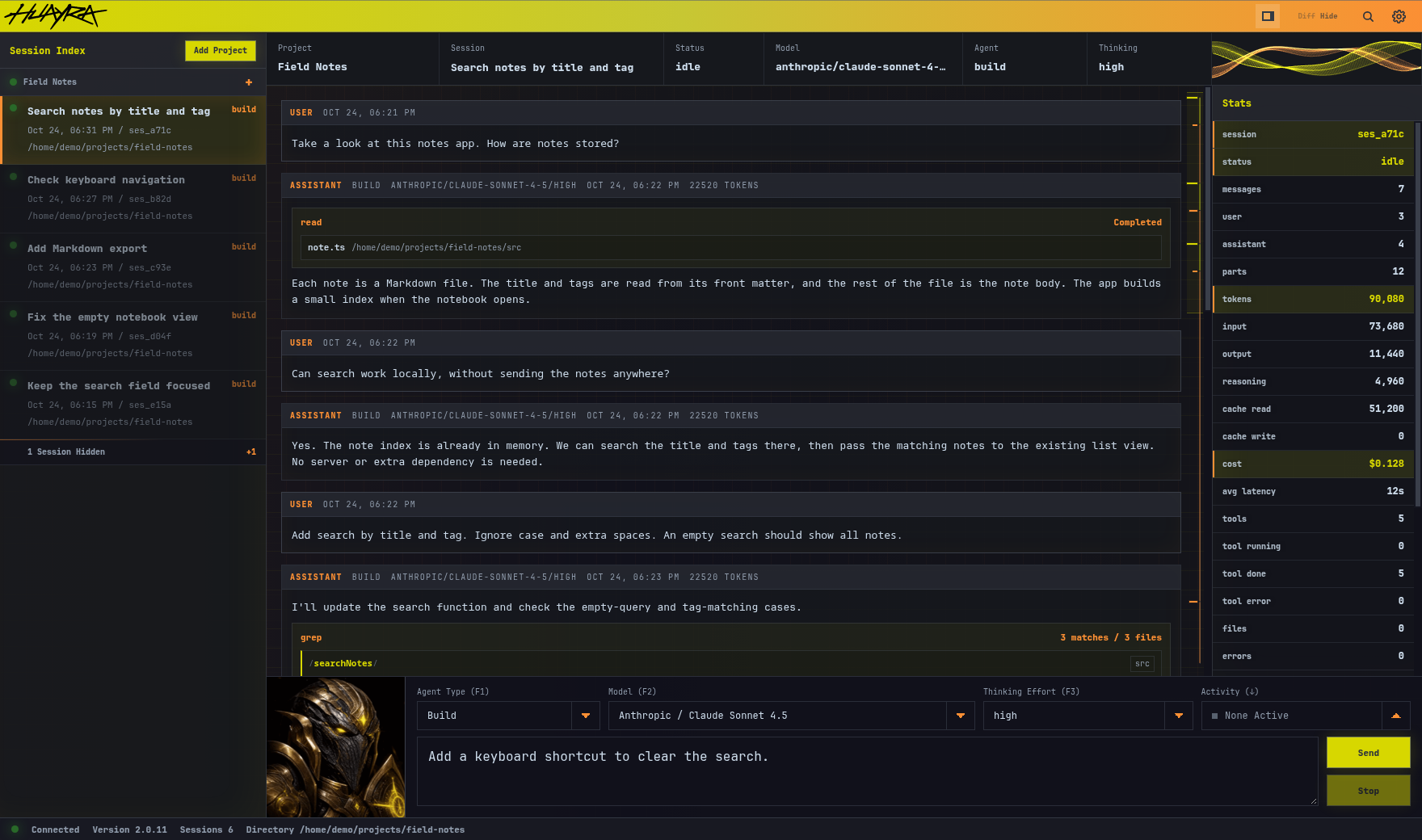
The app connects to OpenCode servers and keeps their projects and sessions in one window. The session list sits beside the conversation, with the model and thinking controls just above the prompt. A stats panel shows token counts, cost, and tool usage. There is also a timeline along the conversation for jumping between messages.
The screenshots below use sample sessions for a fictional notes app. Click an image to view it at full size.
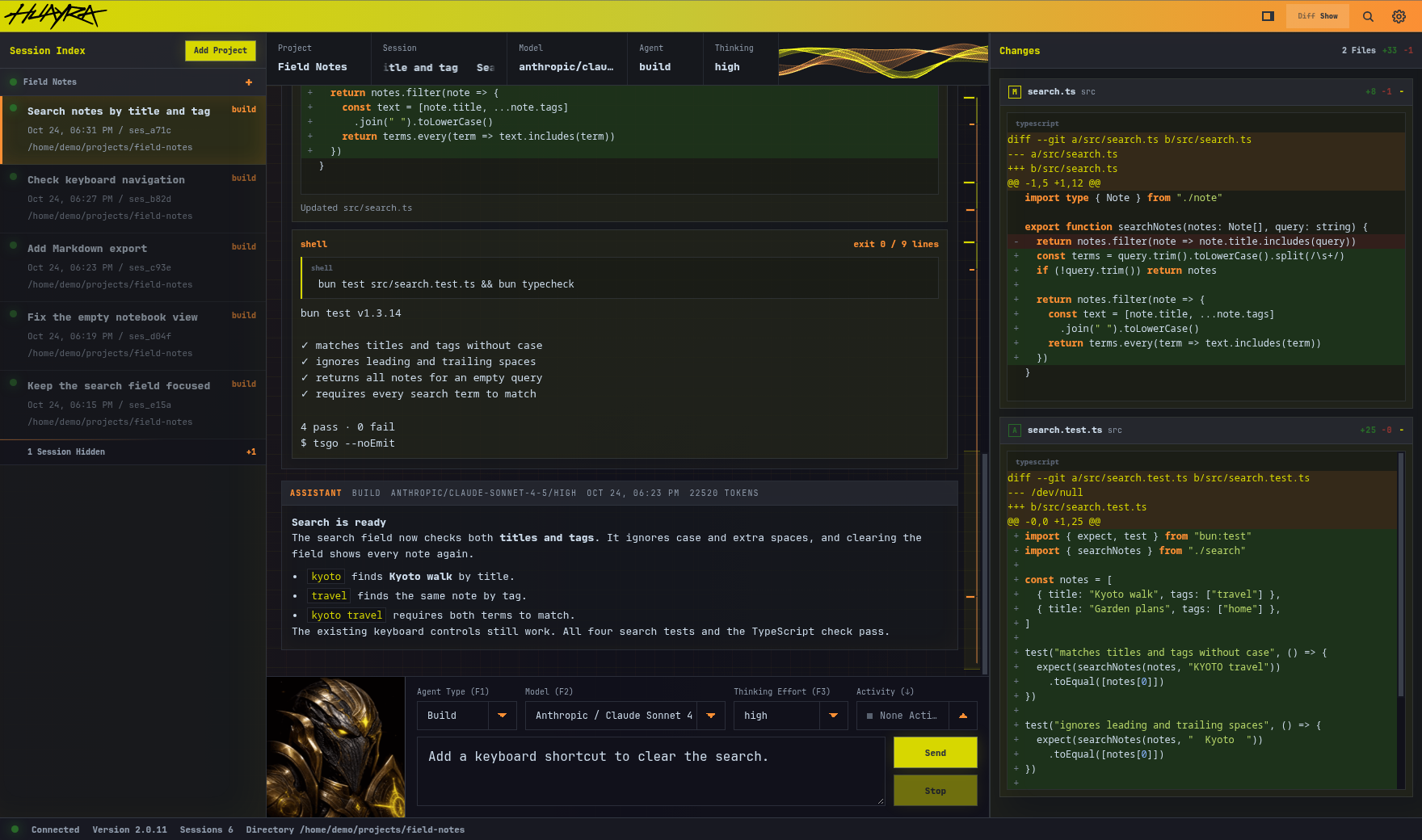
Tool calls appear in the conversation alongside the replies. File reads show the file name, searches group their matches by file, and shell commands show their output and exit code. A separate changes panel shows the working tree diff, so I can read what the agent changed while looking at its explanation.
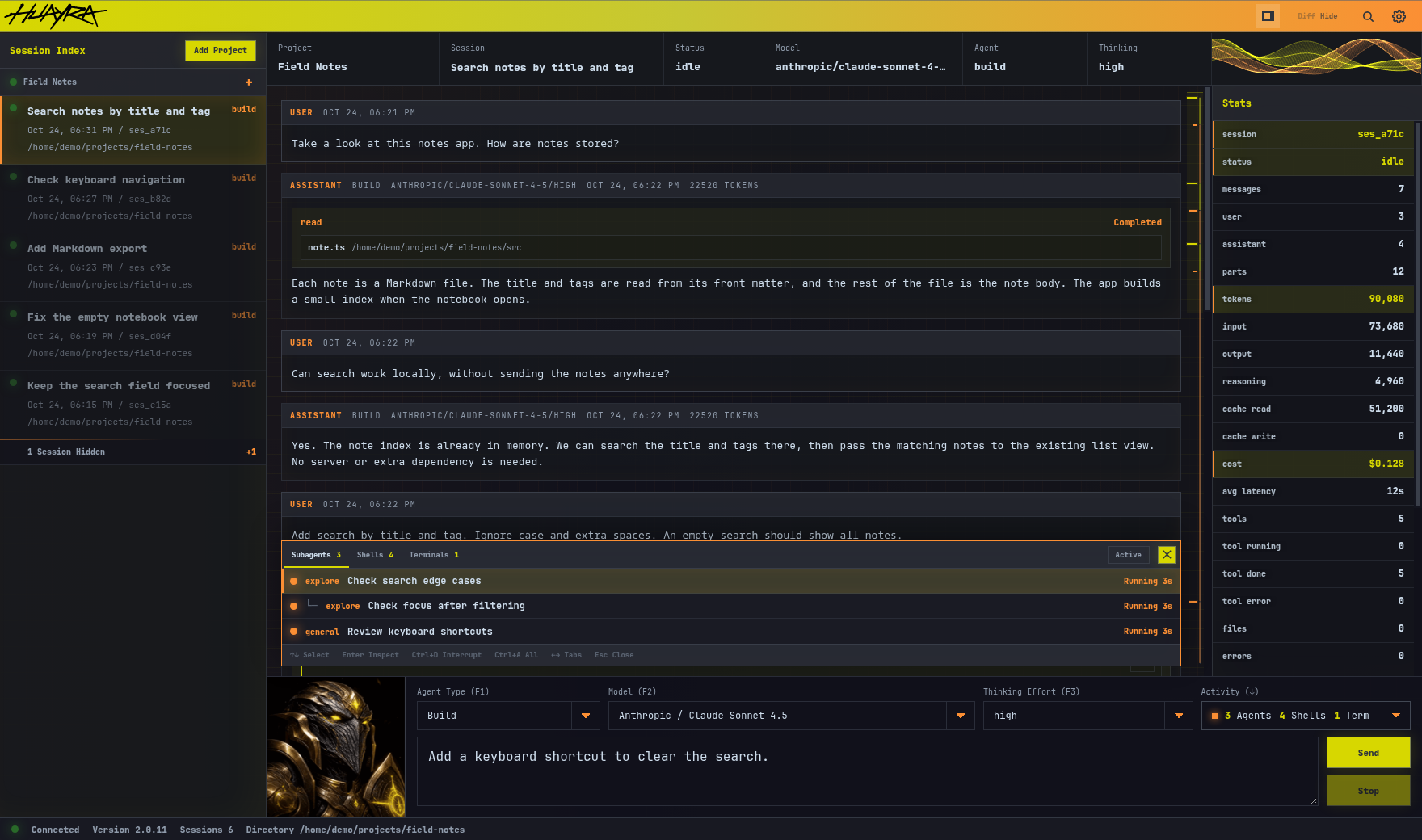
The activity panel keeps track of subagents, background shell commands, and terminals. It shows which jobs are still running and lets me inspect their output or stop them. Nested subagents are shown as a tree, so it is clear which task they belong to.
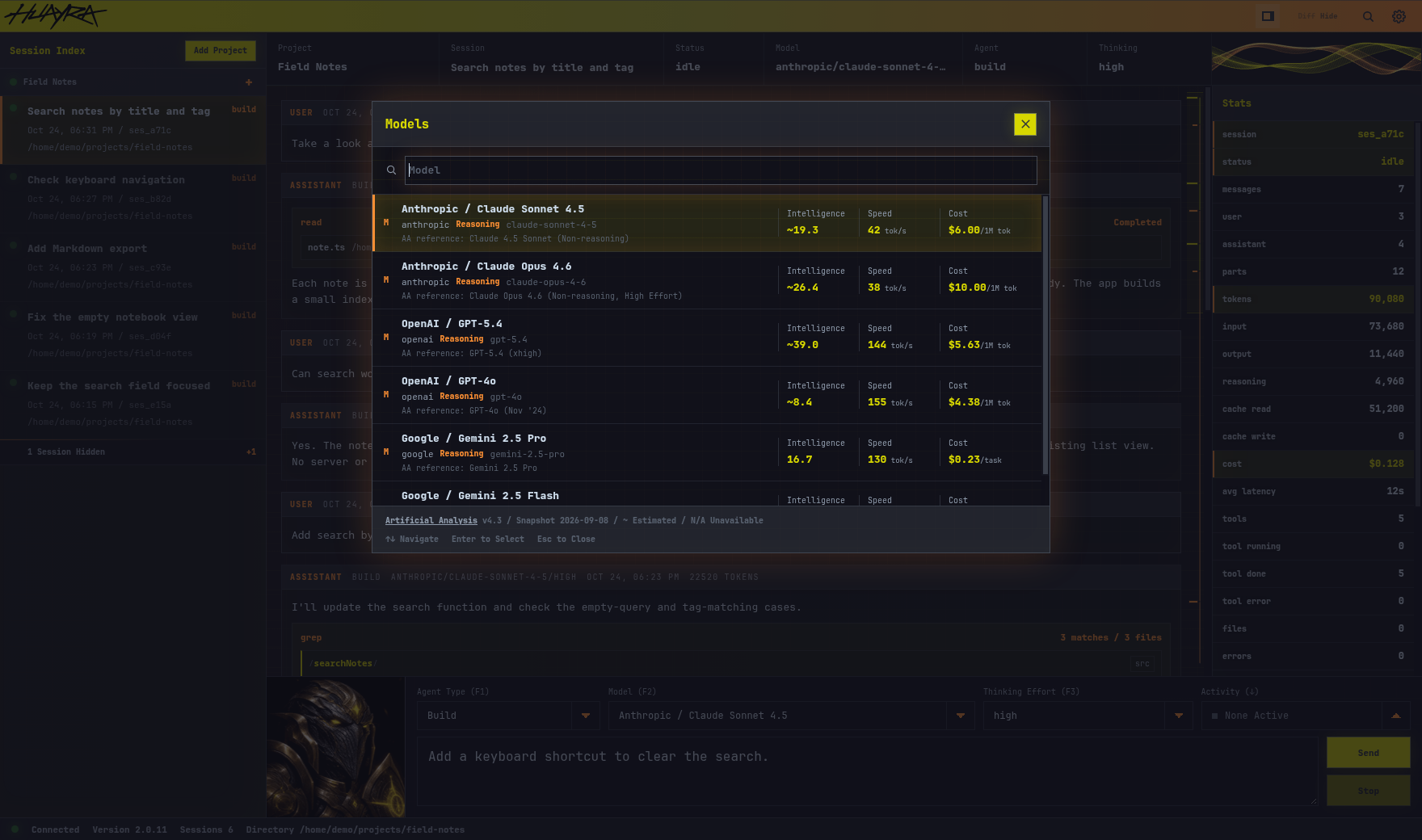
The model picker is searchable and can be opened from the keyboard. It includes reference scores, speed, and cost figures from Artificial Analysis. Each session keeps its own model and thinking level, so switching conversations also restores those choices.
The interface is written in plain TypeScript and CSS, without a UI framework. A C++ host wraps it in the Chromium Embedded Framework and handles the desktop window and hardware connections. As replies arrive, the app updates the changed parts of the conversation instead of rebuilding the whole window.
I also added support for the Codex Micro keyboard through my libcodexmicro C library. Its keys can select sessions, and their lights show whether an agent is working or needs attention. An Android photo frame can serve as a USB-connected second screen, showing session status, the last prompt, and statistics. Tapping a session on the frame selects it on the desktop. The frame app is written in C++ and draws its interface with OpenGL ES 2.
The source code for this project is available on my Forgejo instance.
